We will be switching to a new giving provider on April 5th, 2026. Please find a guide and FAQ below.
Thank you for your patience as we make this important transition.
Transition Timeline
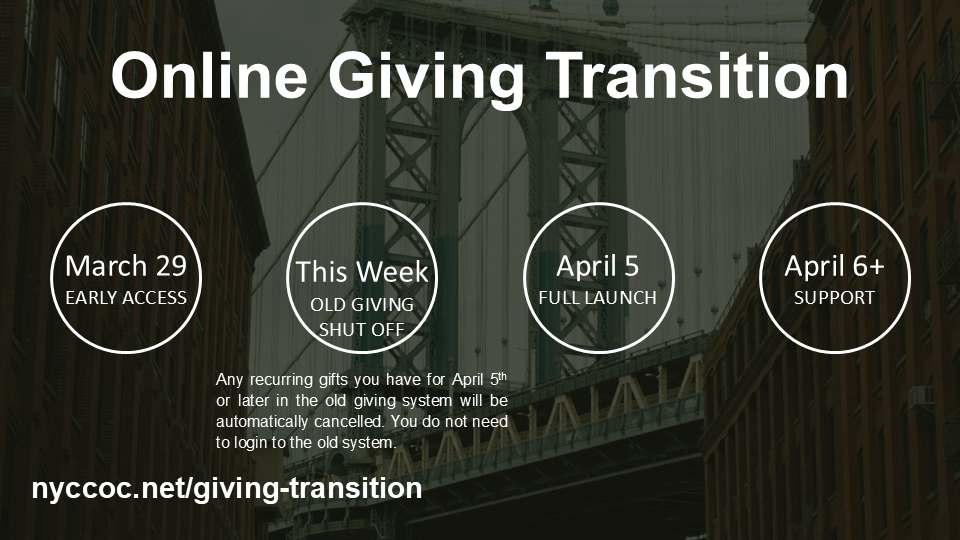
• On March 29th we are opening early access, you can try to connect, and even give contribution
• This week, if you have ANY recurring gifts scheduled for April 5th or later, they will be cancelled in the prior giving system. Please note, if you have something scheduled for the 1st-4th, it will still run and may settle after the 5th.
• If you had a recurring gift, you’ll receive an email from our team showing how to recreate the same gift in the new system
• If you have any trouble, starting this Wednesday, we will have a link for office hours where you can schedule a meeting with the team to get started
• On April 5th, all giving will occur through Planning Center, but you must setup your donations
How to Give Online
We’re transitioning our online giving on April 5th to Planning Center, a secure platform used by thousands of churches. Here’s a quick walkthrough of how it works.
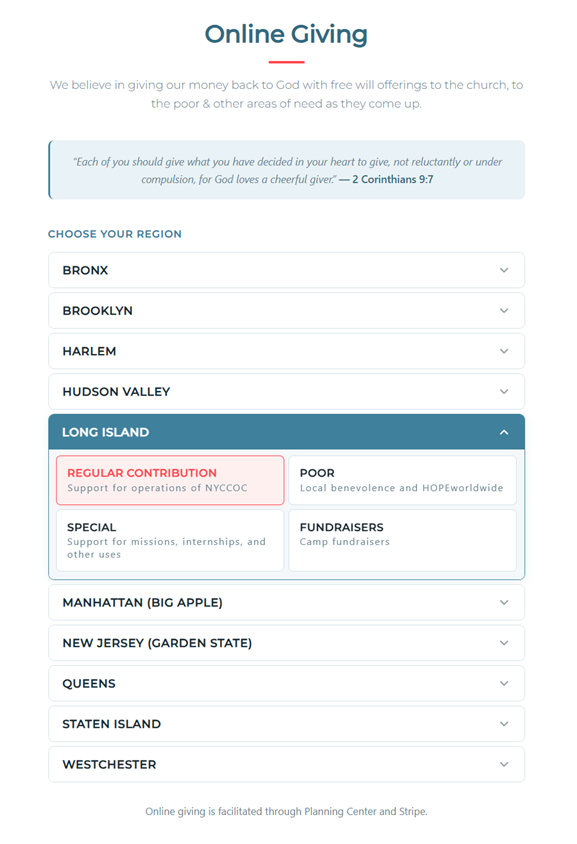
Step 1: Choose Your Region and Fund Visit nyccoc.net/donate and select your region from the list. When your region expands, choose the fund you’d like to give to. The Planning Center donation form will open right on the page.
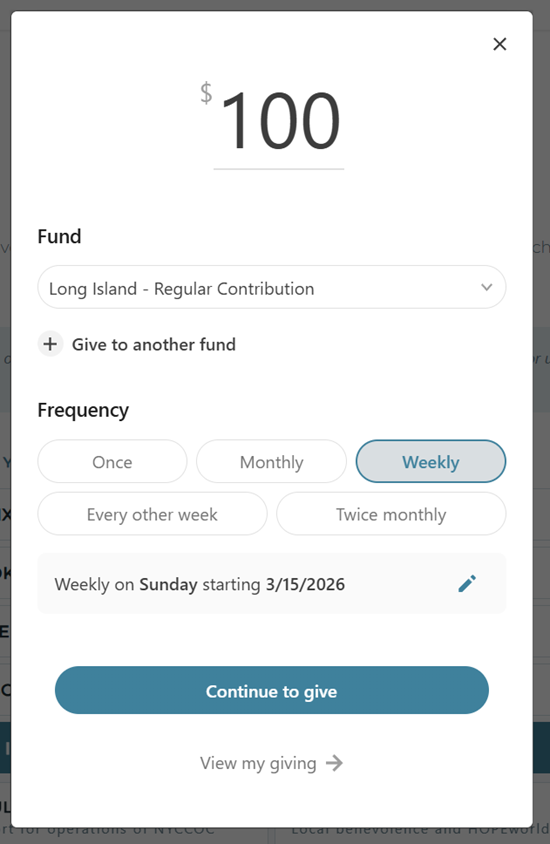
Step 2: Set Your Amount and Frequency Enter your gift amount and choose how often you’d like to give: once, weekly, monthly, or other options. Your selected fund will already be filled in. You can also add gifts to additional funds in the same transaction.
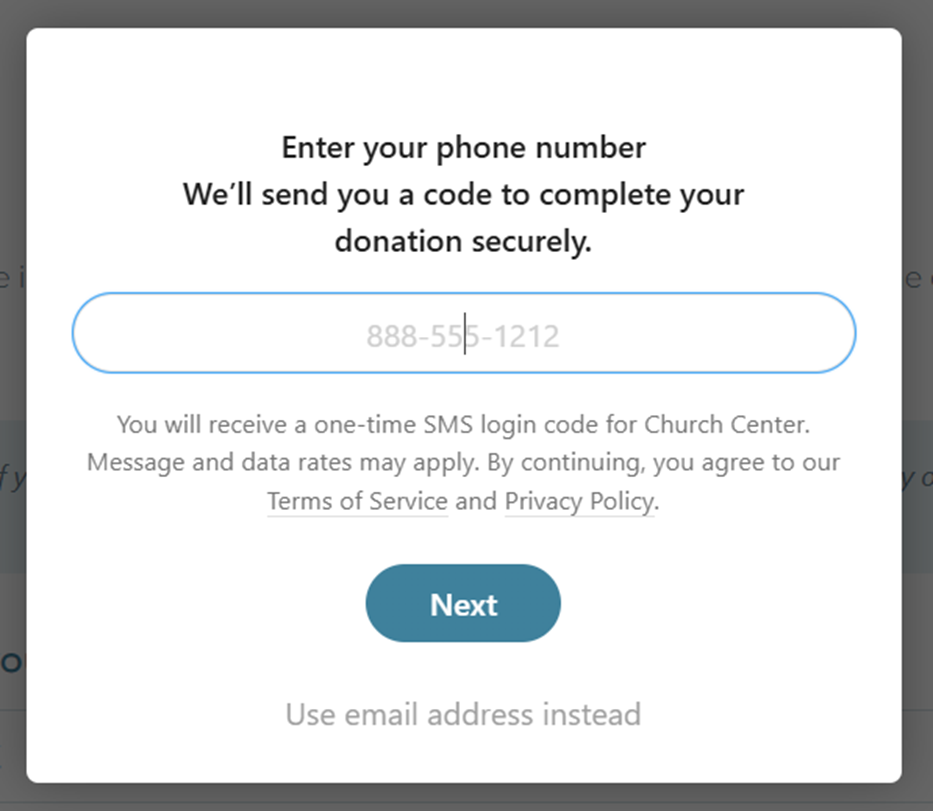
Step 3: Log In by Phone or Email Planning Center uses a simple, passwordless login. Enter your phone number or email address and you’ll receive a one-time code to verify your identity. No account creation or password to remember.
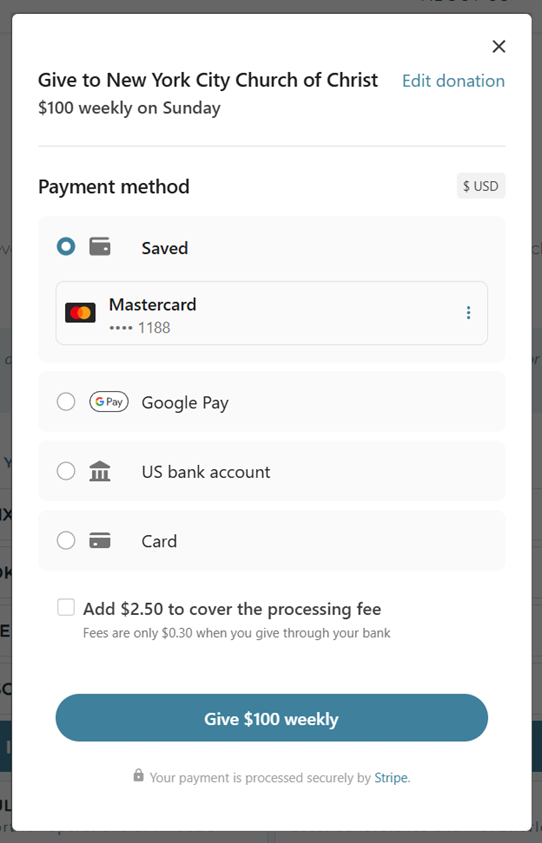
Step 4: Confirm Your Payment Method Choose how you’d like to pay: credit/debit card, bank account (ACH), Google Pay, or Apple Pay. Your payment methods are saved for future gifts, so returning donors can give in just a few taps. Fees are lowest when giving through your bank account.
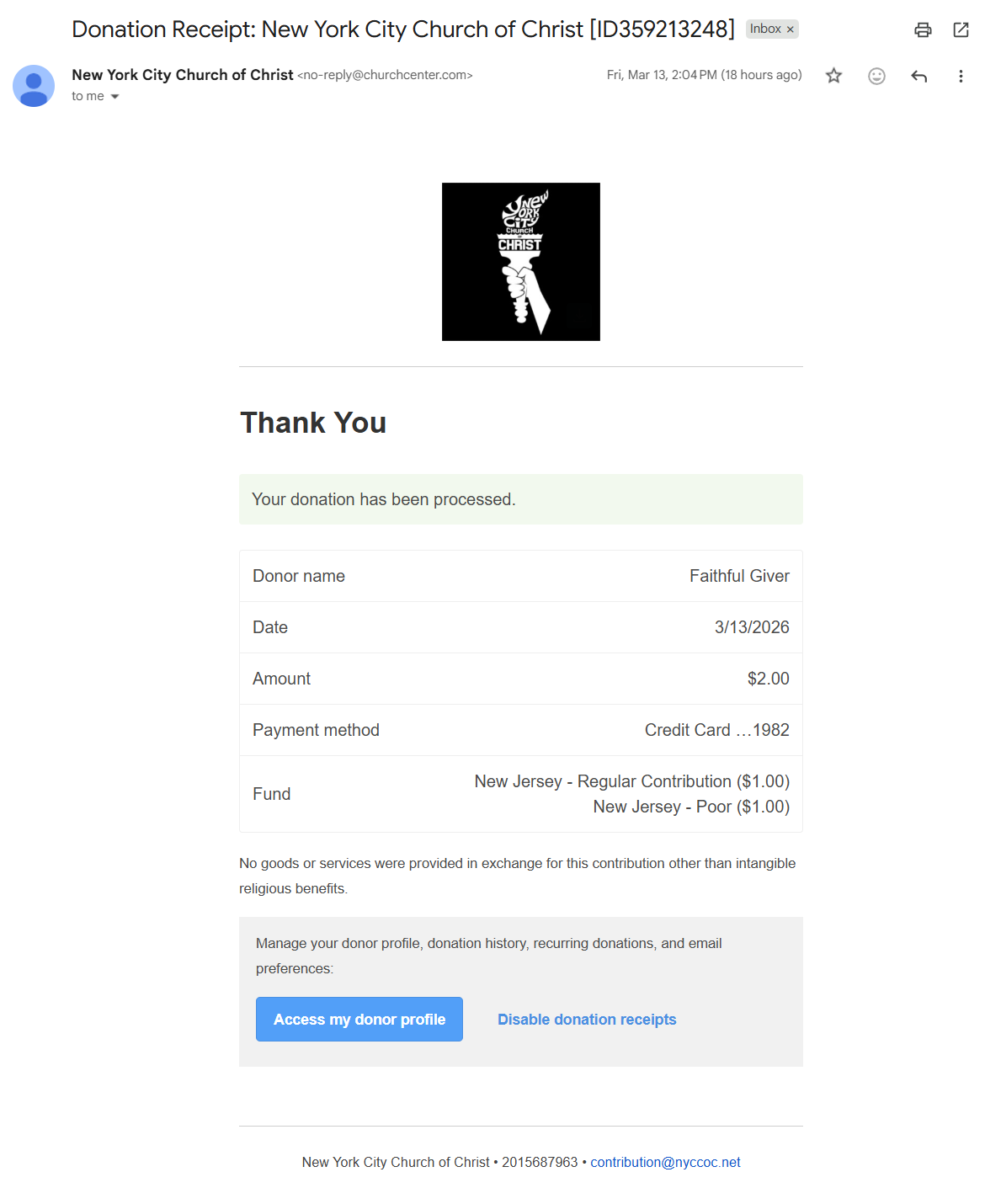
Step 5: Receive Your Donation Receipt You’ll receive an email receipt immediately after each gift. These receipts include your donor name, date, amount, payment method, and fund allocation. A full annual giving statement will be available after year-end for tax purposes.
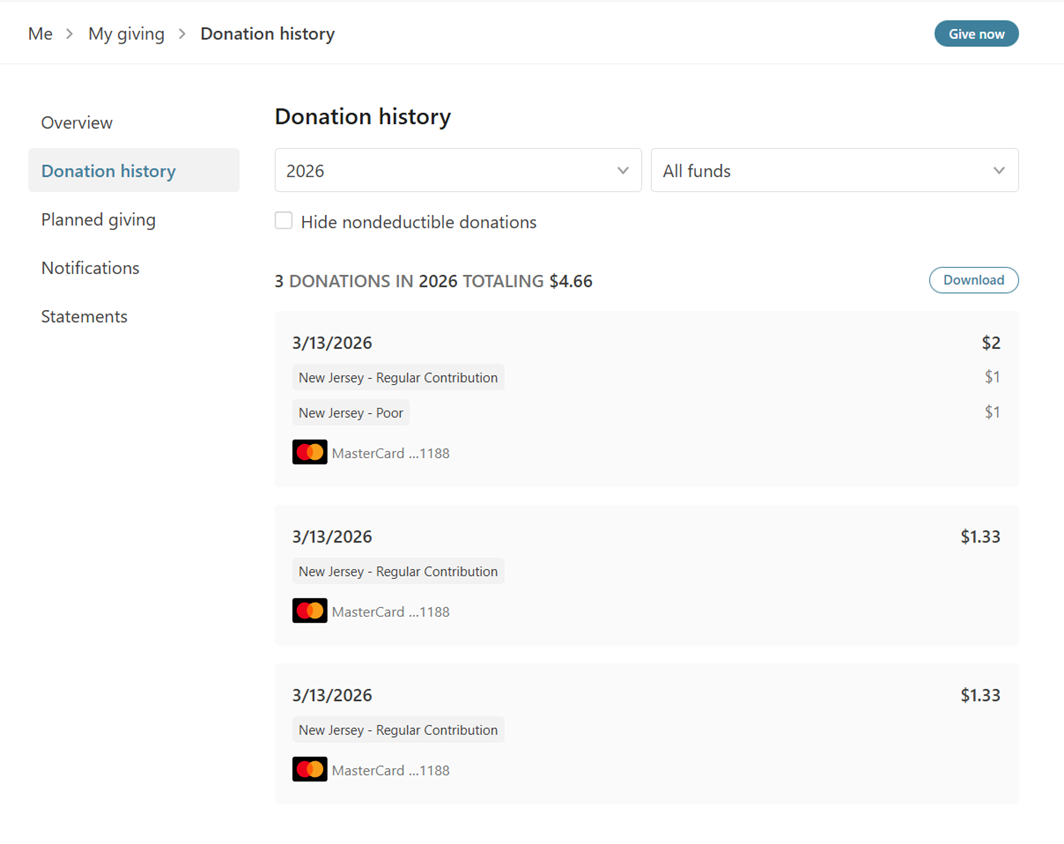
Step 6: View Your Donation History You can view your complete giving history anytime at nyccoc.churchcenter.com. Filter by year or fund, and download your records whenever you need them.
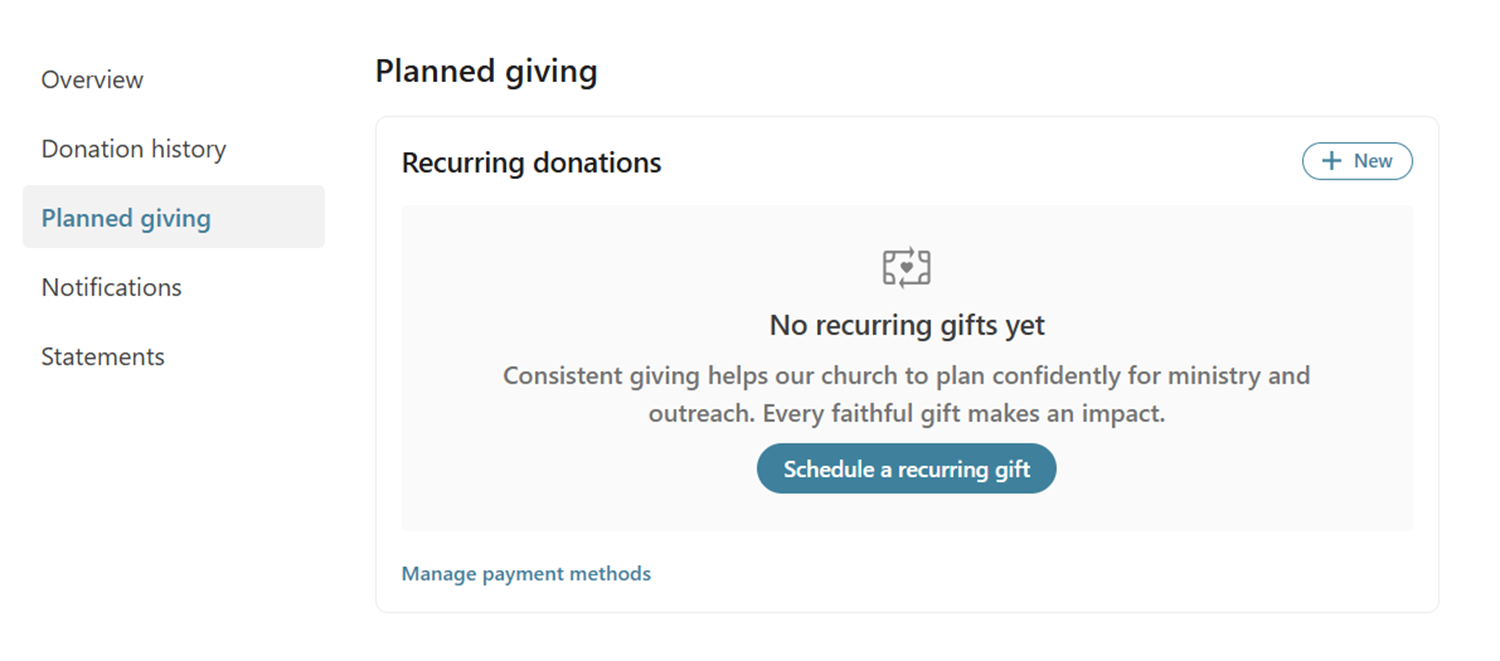
Step 7: Manage Recurring Gifts If you set up a recurring gift, you can view and manage it under “Planned Giving” in your profile. From there you can update the amount, change the frequency, update your payment method, or cancel at any time.
Online Giving Transition FAQ
Why are we switching giving platforms?
We are moving to Planning Center Giving to better integrate our church management tools into one unified system. This change will make giving easier and more flexible for everyone. Additionally, the lower payment processing rates will allow more of your donation to go directly to church operations, benevolence, and special contribution.
Will I need to create a new account?
Yes. Because we are moving to an entirely new payment processor, existing account details cannot be transferred from our current platform. You will need to set up a new account with Planning Center Giving, but the process is quick and straightforward.
How will I be able to give?
Planning Center Giving supports several options: online through our website, app, or via text message. Additionally you can also still give by mailing a check to the church office, or through your bank’s bill pay service without any changes. Some of our regions take physical collection and that will continue as well.
Will the giving type be the same?
Yes. All of the same types or “funds” will be available. However, what was called “Weekly” has been renamed to “Regular Contribution” so there is no confusion between how often you give and the type of offering.
Will my current recurring gifts automatically stop?
No new contributions will be initiated through the current giving platform after April 5th. However, existing recurring gifts will still need to be stopped. If you have an existing recurring gift that is still active in the old system, our team will reach out to you during April to help you transition it to the new platform. To avoid any duplicate charges, we encourage you to cancel your recurring gift in the old system once you have set it up in Planning Center.
Will my giving history carry over?
Your past giving records are safe. Our admin team will retain all historical giving data for tax and reporting purposes. However, your giving history will not appear in your new Planning Center account since it is a separate system.
Is Planning Center Giving secure?
Yes. Planning Center uses industry-standard encryption and security practices to protect your personal and financial information.
Do I need to do anything right now?
Not yet. We will open early access soon so you can set up your account ahead of time. Until then, no action is needed on your part.
What if I need help?
We will have detailed step-by-step guides available online. If you would like personal assistance, you can schedule time with our admin team and we will walk you through it.
If you have a question that is not answered here, please reach out to us at [email protected].